Interactive Brokers | NEWs @ IBKR Vol. 23
News @ IBKR
2024 - Volume 23
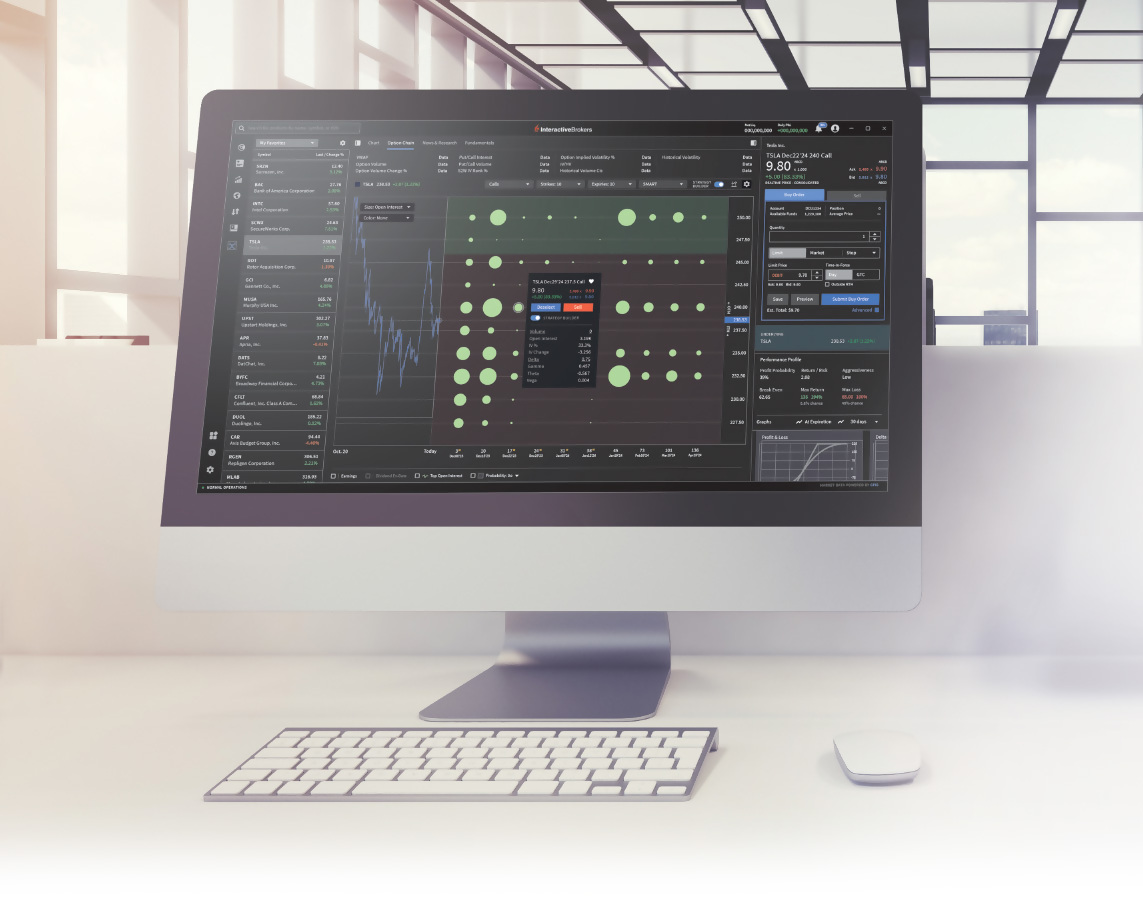
IBKR Advantage
The Future of Trading.
Available Today.
Key Features Currently Available in IBKR Desktop
Trading
- Rapid Order Entry with Attached Orders
- Chart Orders
- Option Lattice
- Multi-Leg Strategy Builder
- Order Presets
- Mouse and Keyboard Hotkey Shortcuts
Research and Analytics
- Market Screeners with MultiSort
- Comprehensive News and Research
- Watchlists with Customizable Columns
- Options Analysis
- Option Performance Profile with Editable Scenarios
- Fundamentals Explorer
- Advanced Charts with Multi-Chart Mode
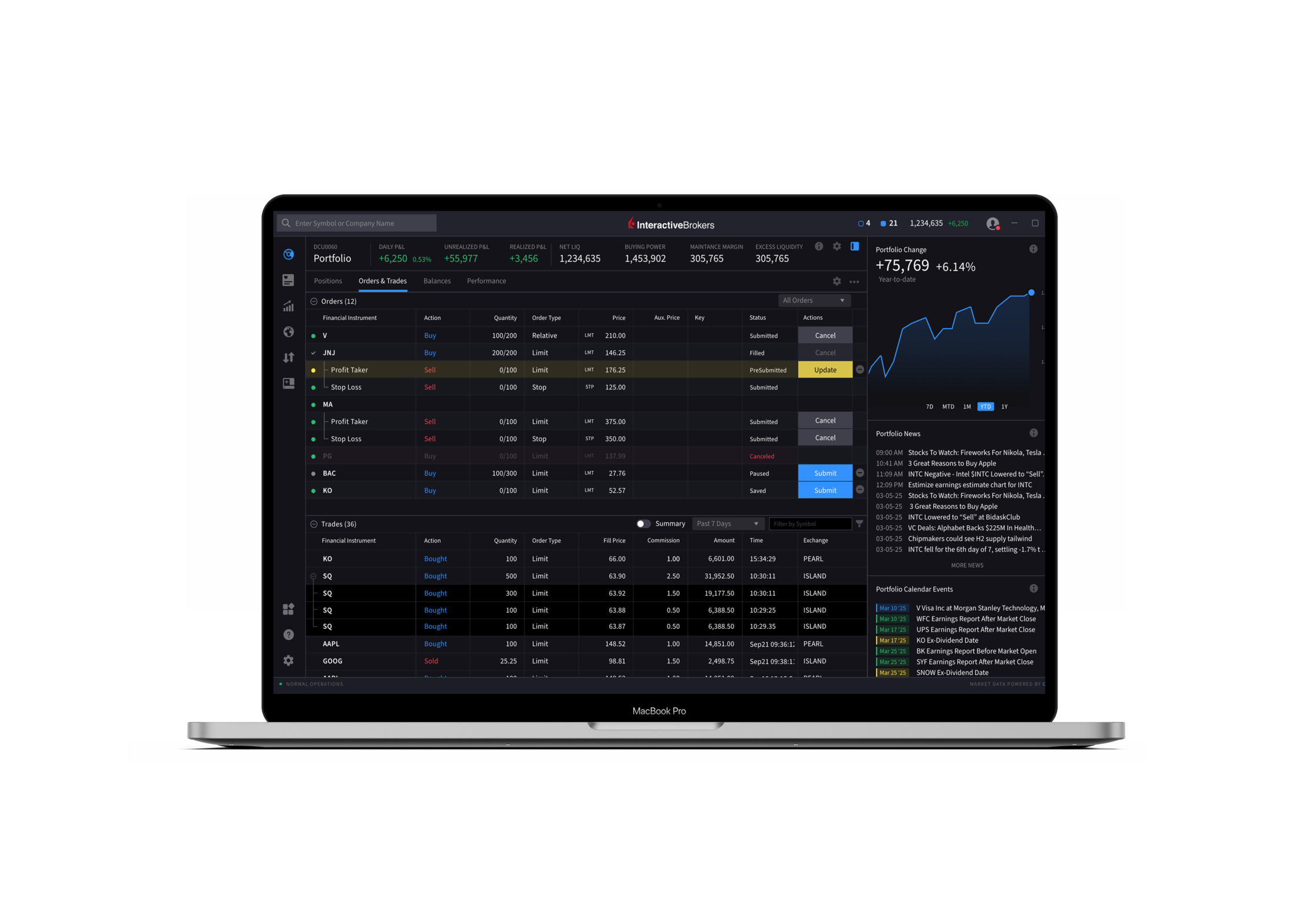
On the Roadmap
- Custom Layouts and Multi-Window Management
- Improved Asset and Search Features
- Translation/Localization
- Level II Market Data
- Time & Sales
IBKR Desktop is currently available for individual accounts and Prop Trading accounts. Support for other account types will be added in the near future.
Keep up to date on our new releases with the IBKR Desktop release notes.
EXPANDED OFFERING
PortfolioAnalyst

Brokerage Accounts
Bank Accounts
Annuities
Student Loans
Mortgages
Credit Cards
Auto Loans
Other Assets or Liabilities

IBKR Advantage
Respond Swiftly to Market News and Economic Events with Extended Trading Hours for US Treasury Bonds
30,200
Global Corporate Bonds1,120
US Treasuries1,015,378
US Municipal Bonds8,604
CDs, and Non-US Sovereign Bonds
If you would like to request Bonds trading permissions:
- Log in to Portal
- Click the User (head/shoulders) icon > Settings menu
- Under Trading, select Trading Permissions
- Select Bonds > Add/Edit
- Select the locations where you wish to trade bonds
- Click Continue
- Read/acknowledge any Legal Documents/Disclosures and follow on-screen prompts to the complete request
Bonds trading permissions are usually reviewed within 24 hours.
Visit our website to learn more about the Bonds Marketplace.


Expanded Offering
Use the Multi-Stock Version of Tax Loss Harvest Tool to Harvest Losses Across Your Portfolio
The Tax Loss Harvesting Tool allows you to:
- Continuously watch for and identify opportunities to minimize taxes.
- Identify losses and transact at the lot level, not just at the entire position level. This can be beneficial in instances where the security has overall gains but has some specific lots that are at a loss.
- Immediately know what portion of projected losses will be allowed losses versus disallowed losses, based on IRS wash-sale rules (when they apply).
- Find suggested replacement securities and easily allocate the proceeds into chosen replacement stocks.
- Investors can also proactively manage gains and losses by changing the tax-lot matching method using the IBKR Tax Optimizer.

New Tools
New Features Added
to IBKR Trading Platforms
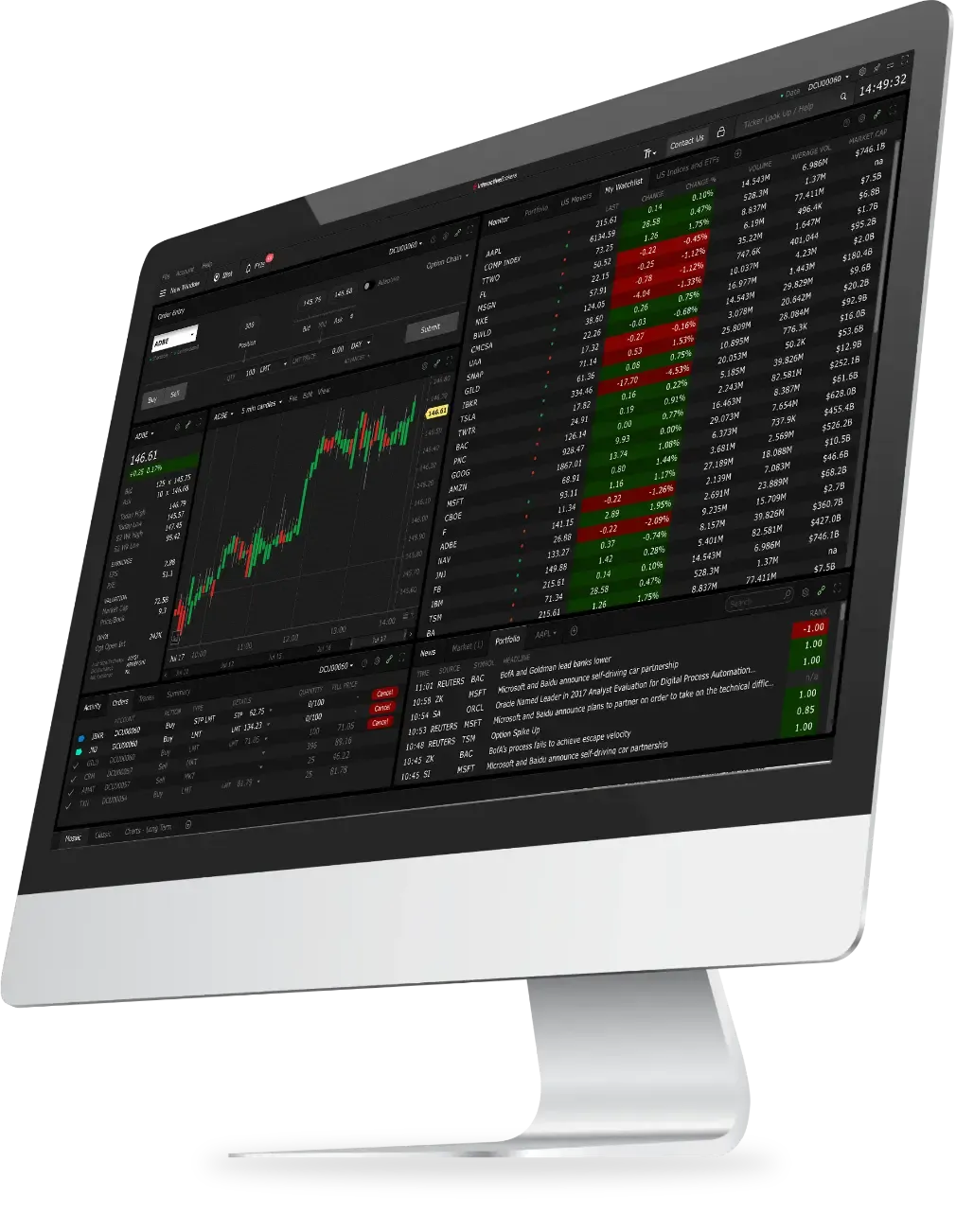
IBKR Trader Workstation (TWS)
- Multi-Stock Tax Loss Harvesting Tool
Now you can harvest losses across all stocks in your portfolio at the same time! You can access the tool from the Classic layout by opening the Portfolio tab and finding the Tax Loss Harvesting tool link along the top of the table. - Bonds/Bills Now Supported in Allocation Order Tool
The Allocation Order Tool now allows you to allocate for Bond and T-Bill orders. - Mutual Funds Swap
The Exchange Fund feature allows clients to swap all or part of an eligible (long) mutual fund position into another fund from the same fund family. Funds must trade in the same currency. Swapping funds using the Exchange action may result in lower commissions and fewer tax consequences (for funds in the same family), and allows clients to complete this action with a single transaction instead of selling, waiting for the trade to settle, and then buying another fund. - Option Liquidity Tool
Use the Option Liquidity Tool to leverage our IBUSOPT destination by automating the bidding and offering of selected options sent there, while staying within client-defined risk limits.
IBUSOPT, an order destination for US equity and index options, allows clients to interact with IBKR SmartRoutedTM order flow, and have their orders filled in between the National Best Bid/Offer (NBBO).- Currently, the Option Liquidity Tool is available to users who have the US Options Bundle with Level 3 or Level 4 options trading permissions.
- This tool is available to Retail and Advisor Client accounts.
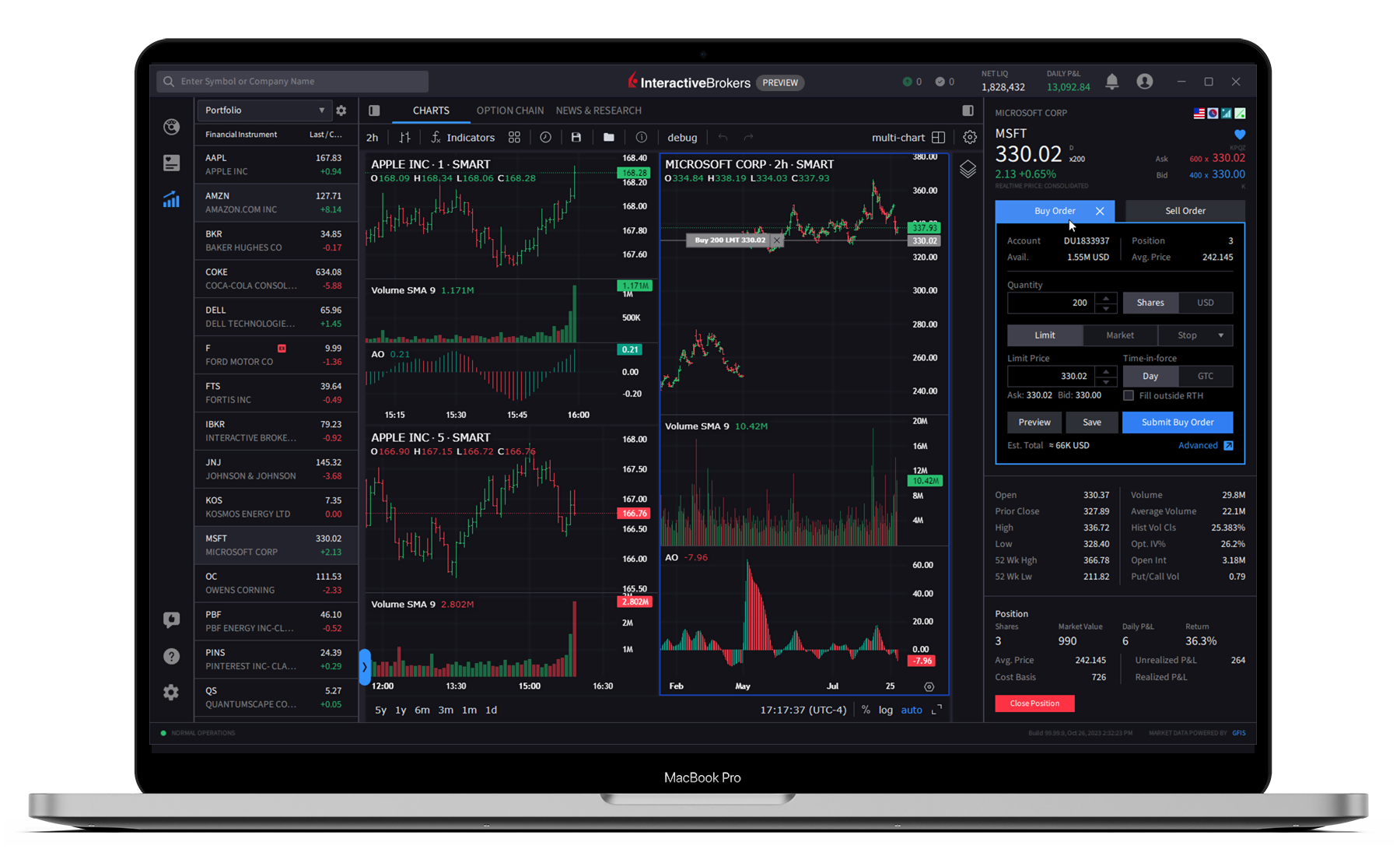
IBKR Desktop
- MultiSort Screeners
Enable users to find and sort data using multiple factors simultaneously. This is essential for traders and investors who need to evaluate diverse information, such as fundamental data, past performance, and technical indicators. MultiSort makes it easy to input multiple preferences, and quickly returns the most relevant results. Use Histograms to quickly customize the value range, and Color Rank to easily see which values are "more" or "less" preferred based on your selected factors and characteristics.
Open Screeners using the icon in the left navigation panel. - Option Lattice
A graphical option chain display that highlights potential outliers in key metrics like Implied Volatility, Open Interest, Volume, or Last Price, the Option Lattice allows users to easily compare option contract metrics across expiry dates. To use, select Lattice View in the selector list within the Option Chain (to the left of the gear icon).
- Options Analysis
Provides a visual and editable in-depth analysis of a single underlying across key metrics including Option Volume, Historical Volatility, Implied Volatility, Open Interest, and Skew. View Options Analysis in the Quote tab. - See Average Price in Charts
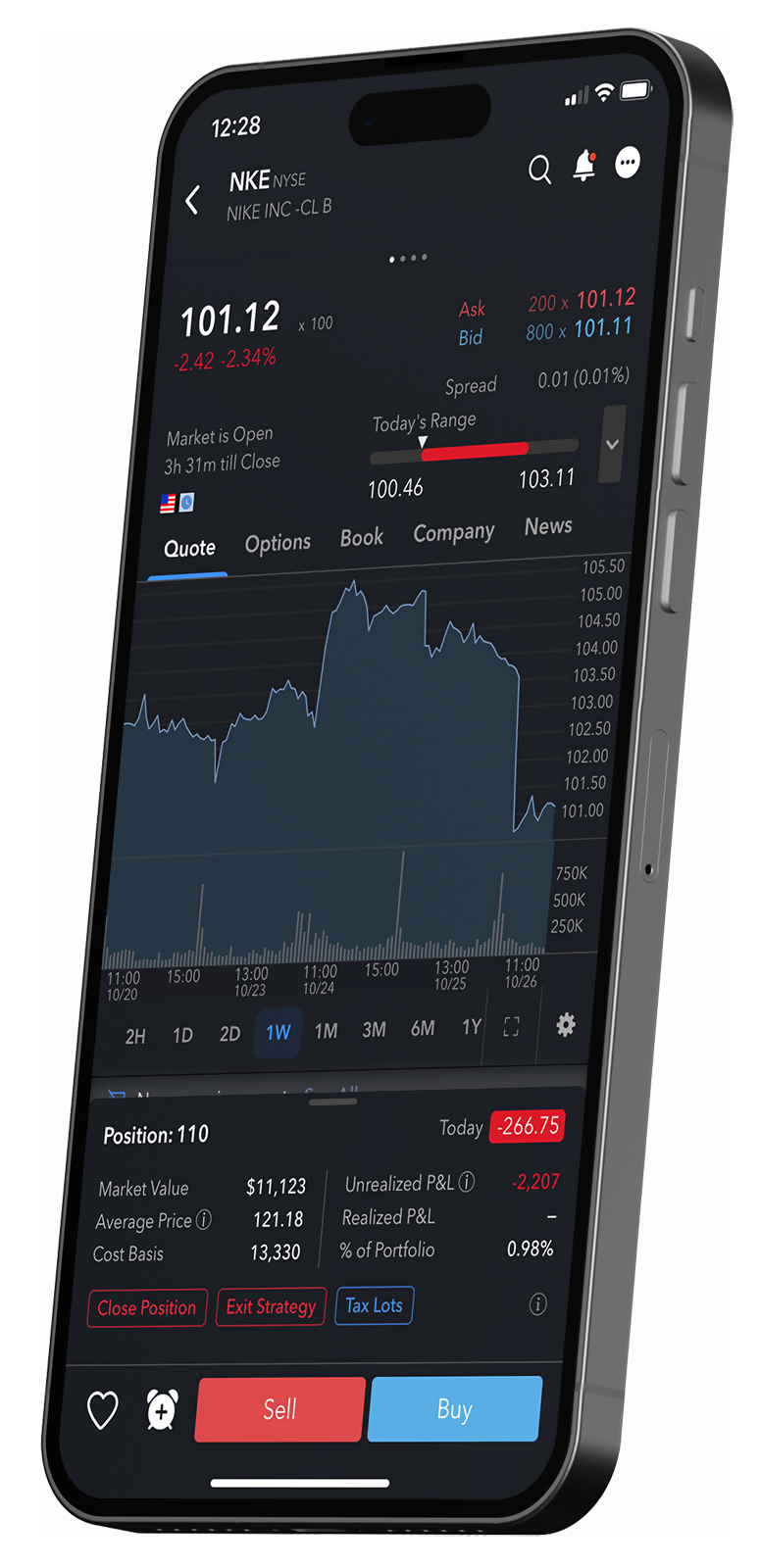
You can now see the Position (in a rectangle) and Average Price (connected to the position by a horizontal line and boxed in on the Price axis) on your chart. Both the line and box will be blue for long positions and red for short.
To disable this feature, click the gear icon to open Chart Settings, and from the Trading menu uncheck "Positions."
IBKR Mobile
- iOS
Check out the new, more powerful Account menu, which has replaced the More menu. Access from the Welcome avatar in the top left corner, and use the Account menu to manage your account, deposit funds, convert currencies, close positions, and access other settings. Our goal was to make it easier to navigate by moving items out of the More menu and into more intuitive places. While you're getting used to the new menu, you can revert to the legacy More menu from the new Account menu using the Settings > Display page. - Android
We've retired the Navigation menu in favor of a new Account menu, which you can access from the top left corner of Home, Portfolio, Trade, Watchlist and Markets. This new menu provides easy access to Settings and other Account Management features. Let us know what you think using Help & Feedback in the Account Menu.
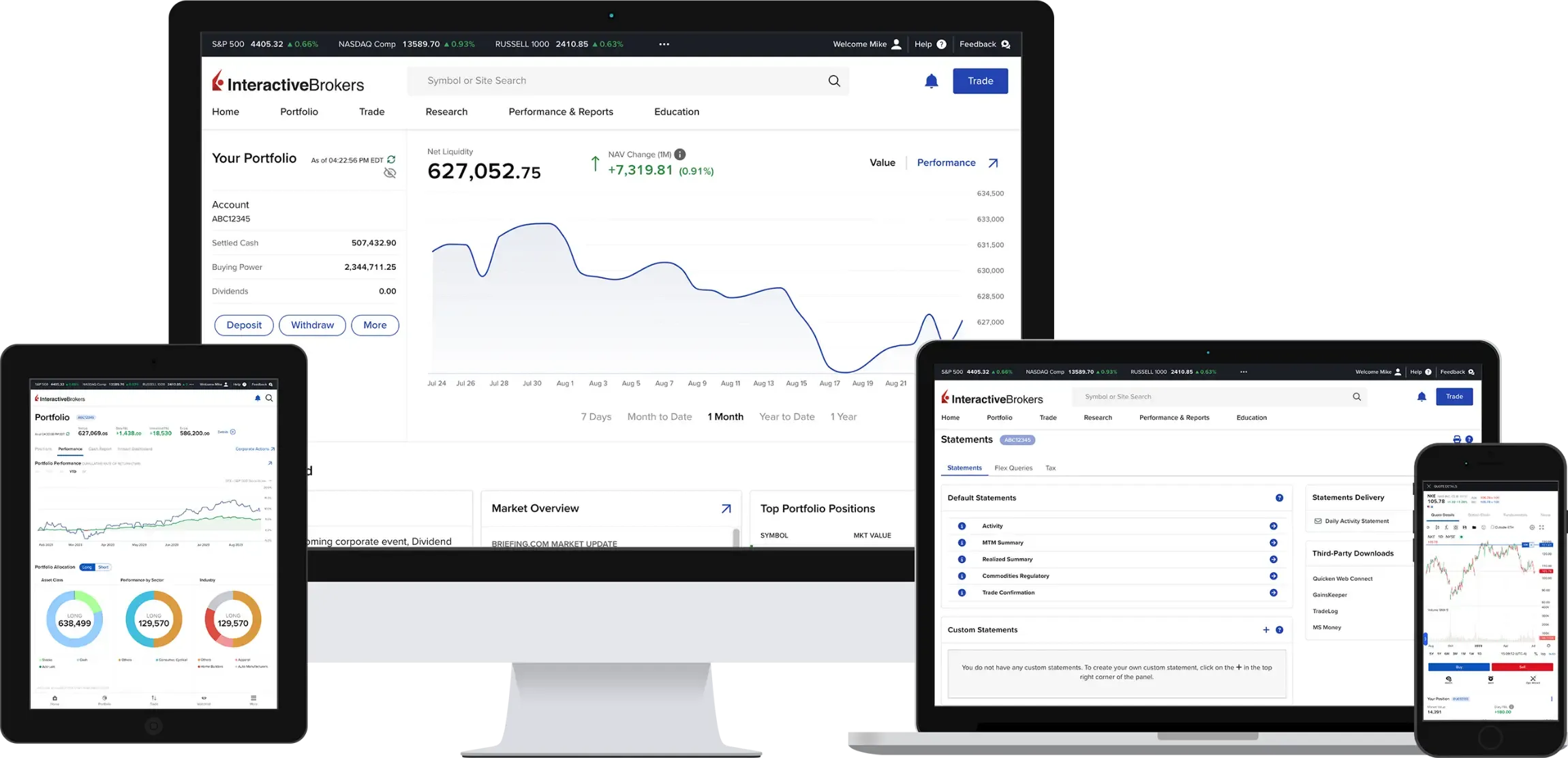
Client Portal
- Increase Auto-Logout Duration
Client Portal users can now set the auto-log out function to 15, 30, 45 or 60 minutes of inactivity. To change the inactivity time-to-logout, from the Welcome Avatar menu find the Log Out After Inactivity command and click the current time period. Select a new duration and Save. - Note that when the inactivity time is reached, we will provide the option for you to stay logged in. This offer will display for 30 seconds and if not taken, you will be logged out.
- Support for Portuguese Language
Portuguese speakers can now set their default language to Portuguese. - Stock Margin Calculator Link
We've added a link to open our Stock Margin calculator to the Client Portal Education menu.
- Bid/Ask Yield for Bonds in Order Ticket
The Client Portal order ticket now displays the Bid Yield and Ask Yield fields when the security type is a bond. - Options Analysis
Option Analysis provides a visual and editable in-depth analysis of a single underlying across key metrics including Option Volume, Historical Volatility, Implied Volatility, Open Interest, and Skew.
IBKR GlobalTrader and IMPACT
Recurring Investments:
Put your favorite investments on autopilot with recurring investments in the stocks and ETFs of your choice! Tap "Recurring" in the Trade Launchpad to create investment schedules. Monitor, add, edit, or cancel investments at any time. Find out more in the Recurring Investment Feature article.
Scan to download the
IBKR GlobalTrader app.

Scan to download the
IBKR Mobile app.
Scan to download the
IMPACT app.
Download
IBKR GlobalTrader


Download
IBKR Mobile
Download
IMPACT
NEW TOOL
New Services for
Advisors of Any Size
Interactive Brokers offers turnkey solutions that help advisors of any size build competitive advantage, efficiently manage their business and serve clients at lower cost.

NEW TOOL
New Services for
Advisors of Any Size
- Message Center enhancements for Registered Investment Advisors, Family Group Advisors and Hedge Fund Advisors:
New features include a sub-account Messages tab, an enhanced folder structure to help differentiate types of messages, improved message grouping and categorization, searches and filters to quickly find messages. - Security Officer Authorizer Updates:
We enhanced the process for updating the number of required Security Officer Authorizers on an account by allowing you to complete the change request directly in Portal. - IRA Beneficiary Updates:
On the Account Inheritance page, clients will see all configured beneficiaries, can make any changes (adds, subtracts, percentage edits) and submit changes during a single log in session. - Improved Interface for Custom Indexes:
We simplified the process for managing and investing in Custom Indexes, which allow advisors to quickly build portfolios modeled after popular Index ETFs, and easily customize them to accommodate client investment goals.
- Allocation Order Tool (AOT) Supports Option Combos:
The AOT was recently updated to support allocating multi-leg option combinations. In addition, advisors can now set allocations based on a trader-defined "% of Net Liquidation" value (especially designed for combo allocations). AOT will now calculate options (OPT) allocation based on investment value (cash quantity) instead of deliverable value (DLV) and AOT will provide a warning when an OPT allocation will result in a high DLV value relative to account size (NLV). - Accounts Portfolios:
Brings the user to a new Portfolios tab which allows the advisor to view account and group portfolios. This new feature offers:- Accounts view with Accounts by Net Liquidation, Unrealized Profit, Unrealized Loss, as well as an account list view that includes Daily P&L, Net Liquidation Value, Unrealized P&L
- Position Summary view with grouping based on Sector, Asset Class, Country, Region, Financial Instrument
- Positions view, which shows positions for an account or group of accounts
NEW TOOL
High Touch Prime Brokerage Service and Global Outsourced Trading for US Hedge Funds

EXPANDED OFFERING
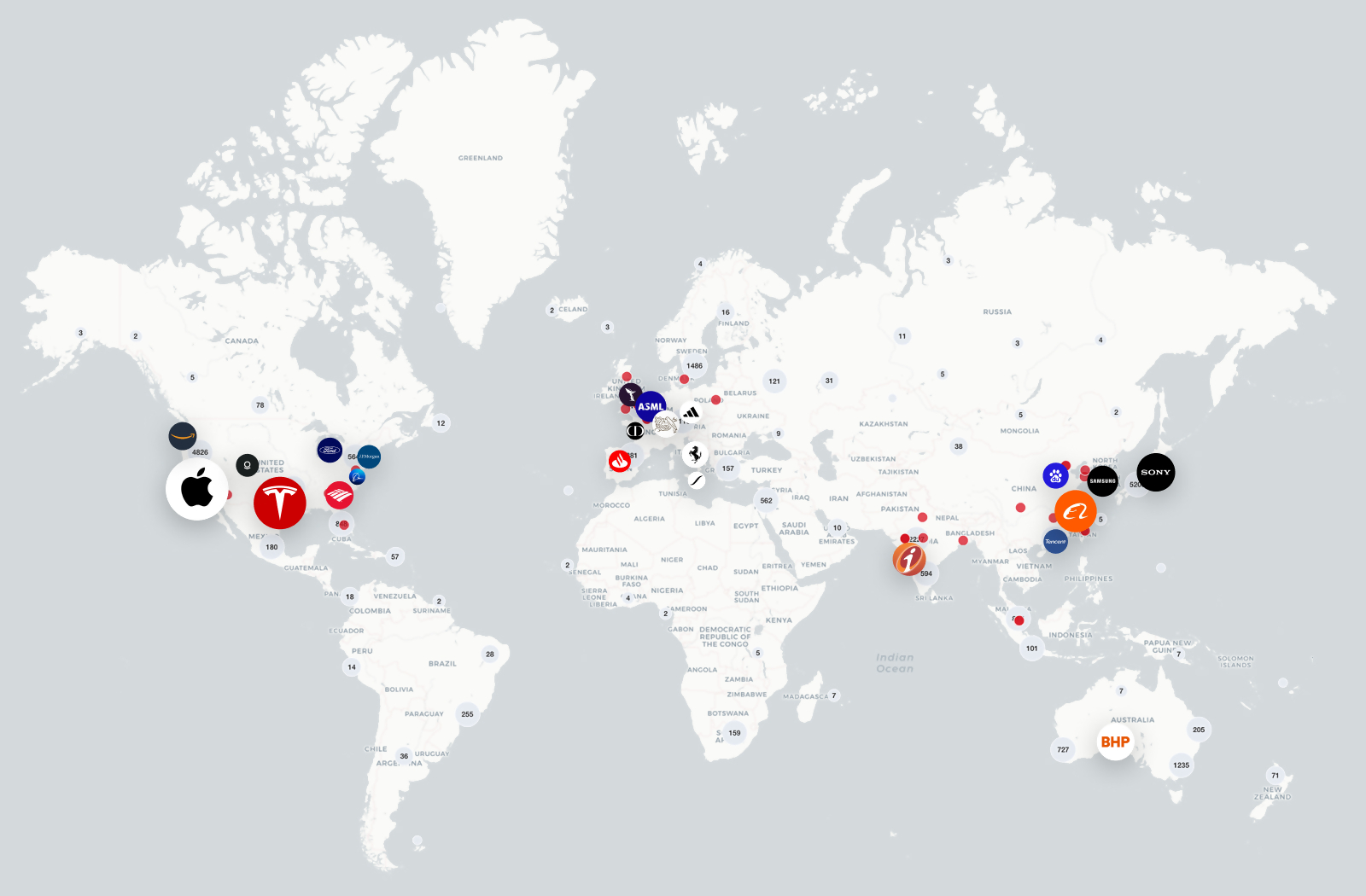
Trade Crypto for Less Coin
at Interactive Brokers

NEW PRODUCTS
IBKR GlobalAnalyst:
Find Your Needle in the Haystack
NEW PRODUCTS
It's Easier than ever to Find
Your Next Investment Opportunity
- Cboe CEDX
CEDX is Cboe's pan-European derivatives exchange, offering trading in index derivatives and single-stock options. Enjoy greater precision with free live prices and trade options on over 300 popular European stocks. - CME Micro Ultra US Treasury Bond Futures (MWN)
CME Micro Ultra 10-Year US Treasury Note Futures (MTN)
At 1/10 the size of classic Treasury contracts, Micro Ultra 10-Year and Micro Ultra T-Bond futures offer access to the same benchmark US Treasury exposure with smaller margin requirements and tick sizes. - CME Tuesday/Thursday FOP on Gold, Silver and Copper (GC, SI, HG)
The Exchange currently lists Gold, Silver, and Copper Weekly Option contracts with Monday, Wednesday, and Friday expiries, and is expanding the offering by listing Tuesday and Thursday expiries. - Eurex DAX Index End-of-Day Options (ODAP)
Eurex offers daily expiring options on the DAX® (ODAP) to help you react quickly to market movements and events. - Eurex Exchange / Korea Exchange (KRX) KOSPI and USD/KRW Derivatives
Eurex Exchange has partnered with KRX to list KOSPI and USD/KRW derivatives at Eurex. These products are available during the core European and North American trading hours, making it easier for investors in those regions to access the Korean market.
- Eurex Three-Month Euro STR Futures (FST3)
Eurex offers a listed, centrally cleared and cash-settled solution to trading or hedging the new risk-free rate. Contracts are based on the compounded €STR over a three-month period. - Euronext (MONEP) CAC-40® Daily Options (P1, P2, P3, ….P31)
Daily Options on the CAC 40® index provide experienced investors with another means to execute short-term trading strategies and manage exposure to the French stock market. - NSE NIFTY Midcap Select Index Futures (MIDCPNIFTY)
Nifty Midcap Select index aims to track the performance of a focused portfolio of 25 stocks within the Nifty Midcap 150 index. The stocks are selected based on market cap, average daily turnover and availability for trading on NSE's Futures & Options segment (F&O) are eligible to be the part of the index. The weight of the stocks is based on free-float market capitalization. - Spot Bitcoin ETPs
Spot Bitcoin ETPs offer investors improved accessibility to bitcoin and allows exposure to the cryptocurrency without having to purchase the asset. Spot Bitcoin ETPs hold actual bitcoin rather than derivatives tied to the price of bitcoin, meaning the price of the Spot Bitcoin ETP fluctuates with the price of bitcoin in cryptocurrency markets.
EXPANDED OFFERING
New Funds and Fund Families
Available at the Mutual Fund Marketplace
Global Fund Families
- Aditum IM Ltd. (LU)
- Emirates NBD AM (LU)
- QUADRIGA AM (LU)
- LOVNIA CAPITAL (LU)
- AVIVA INV UK FUND SERVICES LTD (GB)
- AVIVA INV GLOBAL SERVICES LTD (LU)
- RATHBONE UT MGMT LTD (GB)
- BNY MELLON (GB)
- GROUPAMA AM (FR)
- SPARX AM (IE)
- TILNEY (IE)
- AQR CAPITAL MGMT (LU)
- DOWGATE WEALTH (GB)
- KNA CONSULTING MGMT
- BROWN SHIPLEY CO
- RUBRICS AM (LU)
- AEGON IM B.V. (IE)
- MONTANARO AM LTD (IE)
- HSBC GLOBAL AM UK LTD (GB)
- MONETA (LU)
- SMEAD (LU)
- BMO FUND MGMT (GB)
US Fund Families
- Miller Investment Trust
- Curasset Funds
- First Trust Funds
- MainGate MLP Funds
- Aegis Funds
- Segall Bryant & Hamill Funds
- Conestoga Funds
- VELA Funds
EXPANDED OFFERING
Additional News and Research
Providers Available on the IBKR Platform





Smart Investors Never Stop Learning


Select a Course Title to learn more and register for the course:

Select a Webinar Title to learn more and participate:

Featured Articles


Featured Articles

New Features
2024
IBKR Awards

2024 BrokerChooser Best Online Brokers
- Best Online Broker - 2024
- Best Stock Broker - 2024
- Best Broker for Day Trading - 2024
- Best Broker for Investing - 2024
- Best Broker for Margin Trading
- #1 - Best Online Broker and Trading Platform in Singapore: Read More
- #1 - Best Online Broker and Trading Platform in Germany: Read More
- #1 - Best Online Broker and Trading Platform in the United Kingdom: Read More
- #1 - Best Online Broker and Trading Platform in Canada: Read More
- #1 - Best Online Broker and Trading Platform in Australia: Read More
- #1 - Best Online Broker and Trading Platform in India: Read More
- #1 for Best Broker for ESG Investing: Read More
2024 StockBrokers.com Review
- #1 Bond Trading
- #1 Day Trading
- #1 ESG Investing
- #1 Fractional Shares
- #1 International Trading
- #1 Investment Options
- #1 Mobile Trading Apps
- #1 Order Execution
- #1 Platforms and Tools
- #1 Platform Technology
- #1 Professional Trading
- #1 Sentiment Investing
- Best in class: Beginners
- Best in class: Commissions and Fees
- Best in class: Education
- Best in class: Futures Trading
- Best in class: High Net Worth Investors
- Best in class: IRA Accounts
- Best in class: Options Trading
- Best in class: Research
- Best in class: Overall

2024 Investopedia Awards
- Best for Advanced Traders
- Best for International Trading
- Best for Risk Management
- Best for Generating Stock Trading Ideas
- Best for Algorithmic Trading
2024 ForexBrokers.com Online Broker Review
- 5 out of 5 stars Overall
- #1 Professional Trading
- #1 ESG Offering
- #1 Institutional Clients
- #1 Offering Investments
- #1 Platform Technology
- Best in class: Overall
- Best in class: Algo Trading
- Best in class: Commissions and Fees
- Best in class: Crypto Trading
- Best in class: Education
- Best in class: Mobile Trading Apps
- Best in class: Platforms and Tools
- Best in class: Trust Score
- Best in class: Research


2024 The Ascent - A Motley Fool Service Review
- Best Stock Broker for International Trading